Home › Knowledge Base › Using Rescover
Using Rescover"PDF Studio: generate and share branded reports"
Three report types, your branding, a live preview, and a QR code that jumps from paper back to the live analysis.
PDF Studio turns any analysis into a polished, paginated report. Launch it from a property's toolbar, from any analysis in the Analysis Hub, or across a whole portfolio.
Pick the report type
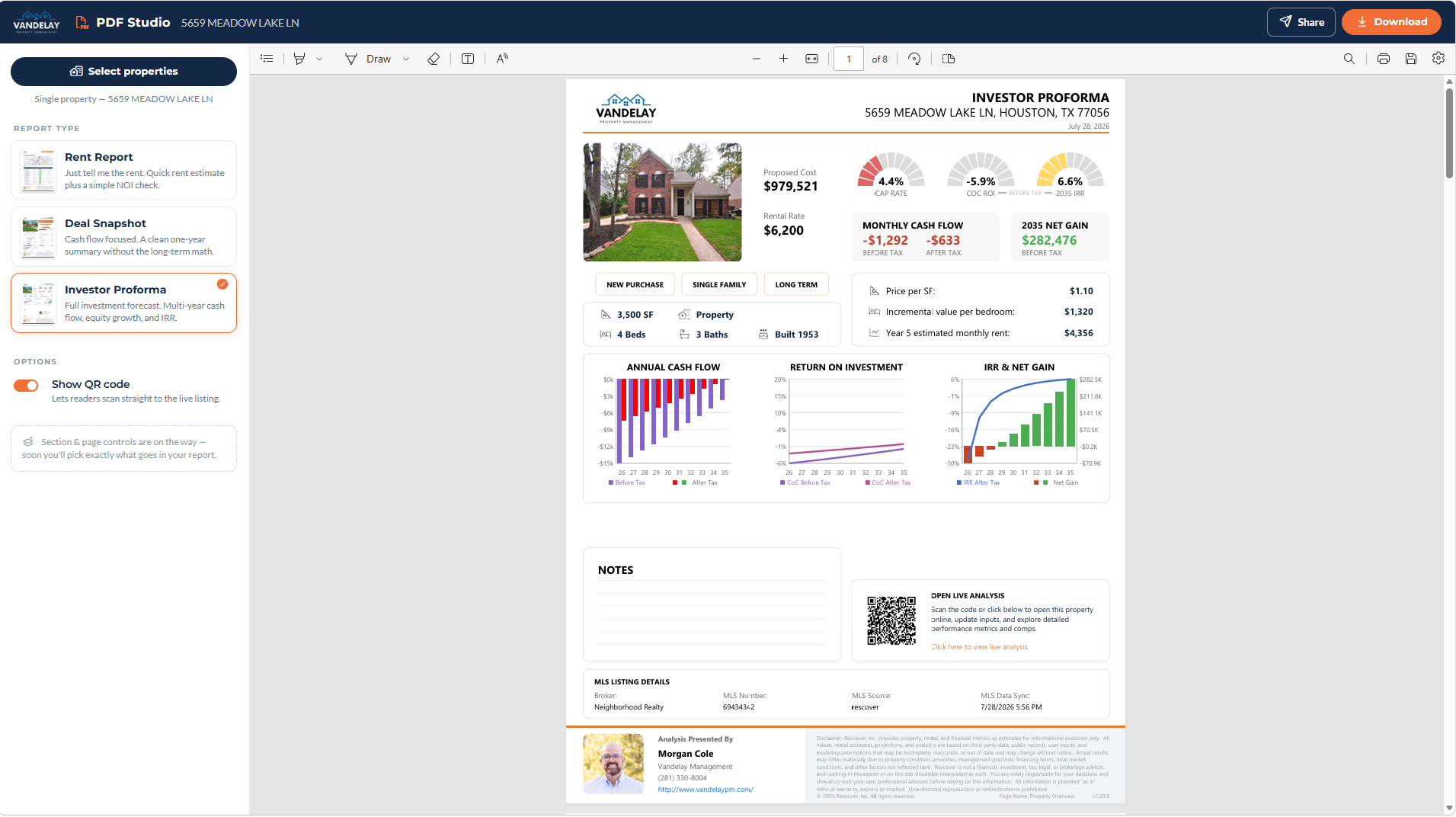
Rent Report answers the rent question with a quick estimate and a simple NOI check. Deal Snapshot is a clean one-year summary without the long-term math. Investor Proforma is the full forecast: multi-year cash flow, equity growth, IRR, and net gain.
What lands on the page
The preview shows exactly what the reader gets: the property, the gauges, the charts, an optional notes block, MLS listing details, and, if you leave it on, a QR code that opens the live analysis so a paper reader can jump to the interactive version.
Branding
Reports pull your logo, colors, and contact block automatically from your company branding settings. On professional plans, a referral partner working under your portal gets a co-branded footer: your identity leads, their business card rides along.
Set branding up once and every report after that looks like you hired a designer: see Company branding.
"A tour of myRescover"
What each sidebar item does, and where to start depending on the job you came to do.
"AutoPilot: verified targets, every Monday"
Save a search, switch on AutoPilot, and 25 verified, skip-traced targets arrive each Monday.
"Billing, payments, and refunds"
Where invoices live, what gets refunded (and what doesn't), and the one-day path for billing disputes.
See it with your own numbers.
Search free with no signup, or start a 14-day free trial of Property Suite Pro.
Search listings